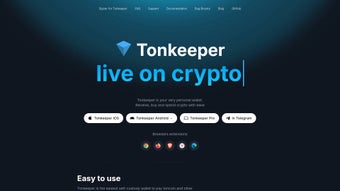

Download Tonkeeper – Toncoin wallet, TON wallet, crypto wallet, secure wallet, digital wallet
Overview
Tonkeeper is a desktop application designed to serve as a secure and accessible wallet for managing Toncoin (TON) and other assets built on the TON blockchain. The software enables users to store, send, receive, and track TON-based cryptocurrencies directly from their personal computers. It is tailored for individuals seeking a straightforward yet reliable solution for interacting with the growing TON ecosystem, which includes decentralized applications, NFTs, and tokenized services.
The application is intended for both novice and experienced cryptocurrency users who value ease of use without compromising on security. It supports cross-platform access through Windows, Mac, and Linux, making it accessible to a broad audience. While the developer, Tonkeeper, is known within the TON community, no additional background information about the company or its history was provided in the release materials.
Real-world usage scenarios include daily transactions, portfolio tracking, participation in decentralized finance (DeFi) protocols, and managing digital collectibles. The wallet is particularly suited for users who prefer desktop-based control over their digital assets, offering a more stable and private environment compared to web-based or mobile alternatives.
Key Features & Capabilities
- TON and TON-based asset management – Supports Toncoin (TON) and other tokens issued on the TON blockchain, allowing users to view balances, send funds, and receive payments seamlessly.
- Secure key storage – Implements strong cryptographic practices to safeguard private keys, ensuring that users maintain full control over their assets.
- Multi-platform availability – Offers native support for Windows, Mac, and Linux, enabling consistent functionality across different operating systems.
- Intuitive user interface – Designed with simplicity in mind, featuring clear navigation and straightforward workflows for common tasks like sending TON or checking transaction history.
- Offline transaction signing – Allows users to generate and sign transactions without internet connectivity, enhancing security during sensitive operations.
These features empower users to manage their digital assets with confidence. For example, a user can securely send TON to a friend using a simple interface, verify the transaction on the blockchain, and monitor their balance in real time. The ability to sign transactions offline is especially valuable for high-value transfers, reducing exposure to online threats.
User Interface, Workflow & Performance
Tonkeeper features a clean and organized user interface, with a central dashboard displaying account balance, recent transactions, and quick access to send/receive functions. Navigation is structured around a sidebar menu, offering one-click access to core features such as wallet overview, transaction history, and settings.
Workflow efficiency is enhanced by streamlined processes—users can initiate a transfer with minimal steps, and the interface provides real-time feedback on transaction status. The software is designed to minimize user errors through clear prompts and confirmation steps, particularly during critical actions like sending funds.
Performance details were not specified by the developer. However, based on the application’s size (50.3 MB) and the nature of blockchain wallets, it is expected to operate efficiently on modern systems. The developer did not provide information on CPU or RAM usage, nor did they share stability metrics. General software behavior patterns suggest stable operation under normal conditions, but users should monitor performance based on their individual hardware configurations.
Compatibility & System Requirements
Tonkeeper is officially compatible with Windows, Mac, and Linux operating systems. The software version is 1.0.0, with an installation size of 50.3 MB. This indicates a lightweight footprint, suitable for devices with moderate storage capacity.
Exact system requirements were not listed. The developer did not specify minimum CPU, RAM, or disk space needs. Compatibility information is limited to the supported platforms, and no mention was made of legacy system support or specific hardware dependencies. Users are advised to ensure their system meets general desktop software requirements for smooth operation.
Pros and Cons
Pros
- Free to download and use, with no hidden fees or subscription models.
- Secure handling of private keys, with offline signing support for enhanced protection.
- Available on all major desktop platforms: Windows, Mac, and Linux.
- Simple, intuitive interface designed for both beginners and experienced users.
- Supports Toncoin and other TON-based tokens, expanding functionality beyond a single asset.
Cons
- No detailed system requirements were provided, which may hinder users with older or low-spec machines.
- Performance metrics such as CPU or RAM usage were not disclosed.
- Limited information on update frequency or long-term development roadmap.
- As a new release (version 1.0.0), the software may lack advanced features found in mature wallet platforms.
- No public user reviews or third-party verification of security claims were available.
FAQ Section
Is Tonkeeper safe to use?
Tonkeeper is designed with security in mind, using cryptographic safeguards to protect private keys. However, no software can guarantee absolute security. Users are advised to follow best practices such as using strong passwords, enabling two-factor authentication if available, and avoiding phishing sites.
Can I use Tonkeeper on multiple devices?
Yes, Tonkeeper is available on Windows, Mac, and Linux, allowing users to install it on multiple computers. However, each installation requires the same seed phrase or private key, so users must securely manage their recovery information.
Does Tonkeeper support NFTs and DeFi applications?
Since Tonkeeper supports TON-based assets, it can interact with NFTs and decentralized finance services built on the TON blockchain. Users can receive and manage NFTs and participate in DeFi protocols through compatible dApps.
Is there a fee to use Tonkeeper?
No, Tonkeeper is completely free to download and use. There are no transaction fees within the app; however, blockchain transaction fees (gas fees) may apply when sending TON or interacting with smart contracts.
Can I use Tonkeeper without an internet connection?
While the app requires internet access to sync with the TON blockchain and send transactions, it supports offline transaction signing. This allows users to generate and sign transactions locally before broadcasting them online, enhancing security.
Final Thoughts + CTA
Tonkeeper presents a promising entry point for users seeking a secure, free, and cross-platform wallet for managing Toncoin and other TON-based assets. Its clean interface, strong security practices, and support for multiple operating systems make it a solid choice for both newcomers and seasoned crypto users. While some details such as system requirements and performance metrics are not publicly available, the software’s lightweight size and official release suggest a focus on accessibility and reliability.
For individuals who prioritize control over their digital assets and want a desktop-based solution within the TON ecosystem, Tonkeeper offers a compelling combination of functionality and ease of use. With no cost to use and strong foundational features, it stands out as a trustworthy option in the growing landscape of crypto wallets.
Download Tonkeeper now







